

Getting an Amazon Seller Account deactivated can become a bigger problem for any seller. This mostly happens when Amazon protects buyers and sellers through its strict policies. When an Amazon account gets suspended, sellers cannot sell their products, and their business operations can suddenly stop. For many sellers whose businesses depend on Amazon, this situation can be very stressful.
But if your Amazon seller account is suspended, then no need to worry. You can reactivate your Amazon seller account when you understand and handle the situation, why it happens, whether it can be reversed, and how much time it will take to bring the account back to normal. The good thing is that in most cases, sellers can recover their accounts through the proper Amazon account reinstatement and Amazon suspension recovery process.
If the correct steps are followed, sellers can successfully restore Amazon seller account access by preparing a strong Plan of Action (POA), submitting proper documents, and following the correct Amazon appeal process. Amazon mainly wants to ensure that sellers understand their mistakes, take corrective actions, and implement preventive measures so that such issues do not happen again.
In recent years, especially with the updated systems introduced in 2026, Amazon has become even stricter about seller performance, intellectual property protection, document verification, and policy compliance. Because of these updates, it has become more important for sellers to understand the correct Amazon account reactivation process and respond quickly if their account gets suspended.
In this blog, we will guide you on how you can reactivate your Amazon seller account from deactivation so that your business can run smoothly without any interruption. We will explain the common reasons for suspension, the step-by-step Amazon suspension recovery process, the documents required for Amazon account reinstatement, and how to write a strong appeal to successfully restore Amazon seller account access.
Amazon Seller Account Suspension Policies – 2026 Updates
Amazon continuously updates its policies to maintain transparency and protect customers. In 2026, Amazon introduced stricter monitoring systems for sellers.
Some important 2026 updates related to Amazon account reinstatement include:
AI-Based Account Monitoring
Amazon now uses advanced AI systems to monitor seller activities. The system automatically detects unusual behavior, policy violations, fake reviews, and suspicious activities.
Stricter Product Authenticity Checks
Amazon has strengthened its policies against counterfeit products. Sellers must now provide verified supplier invoices and proof of authenticity.
Faster Suspension Actions
With automation, Amazon now suspends accounts faster when policy violations are detected.
Stronger Intellectual Property Protection
Brand owners now have stronger tools to report trademark, copyright, and patent violations.
Improved Performance Monitoring
Seller performance metrics such as ODR, Late Shipment Rate, and Cancellation Rate are now monitored more strictly.
Because of these updates, sellers must follow Amazon policies carefully to avoid suspension and maintain a healthy account.
What is an Amazon Seller Account?
An Amazon Seller Account is an online platform that gives facilities to sellers who want to sell their products on Amazon. Amazon is the biggest e-commerce platform in the world, where crores of people shop every day. If you want to grow your business and want to expand your reach to global customers, then an Amazon seller account can be a perfect tool for you.
With an Amazon seller account, sellers can list their products, manage orders, communicate with customers, and track sales performance.
What do you mean by Amazon Seller Account Suspension?
Amazon Seller Account Suspension means that Amazon has temporarily or permanently disabled your Amazon seller account. When your Amazon seller account is suspended, you can’t sell your products, and your account gets restricted.
In this situation, to restore your account, you have to take some steps, which you can do through the reactivation of your Amazon seller account.
What are the Reasons for Amazon Seller Account Suspension?
There can be many reasons for an Amazon seller account suspension. Accounts can be suspended when you do not follow Amazon’s strict policies.
Below are some of the most common reasons.
Performance Issues (Account Health Metrics)
There can be many reasons for an Amazon seller account suspension. Accounts can be suspended when you do not follow Amazon’s strict policies.
Below are some of the most common reasons.
High Order Defect Rate (ODR)
Order Defect Rate means those orders that have negative feedback, A to Z claims, or chargebacks.
Amazon accepts ODR 1% or below. If ODR increases above the limit, then the Amazon seller account may be suspended.
Late Shipment Rate (LSR)
Amazon customers expect on-time delivery. If your shipment time is delayed consistently and LSR is more than 4%, then there can be a risk of suspension.
Pre-fulfillment Cancellation Rate
If you list your product but can’t maintain stock availability, then orders have to be canceled. If this cancellation rate is more than 2.5%, then the Amazon seller account may be suspended.
Negative Customer Feedback
If customers aren’t happy with products and services, then they give negative feedback. Too much negative feedback can result in account suspension.
Policy Violations
Amazon’s rules are very strict. If the seller doesn’t follow these policies, suspension can occur.
Selling Prohibited Items
Some products are restricted or prohibited on Amazon such as weapons, drugs, or adult content. Listing such products can cause suspension.
Counterfeit Products
Amazon strictly bans fake or duplicate products. Selling counterfeit items may result in immediate suspension.
Inaccurate Product Listings
Product titles, descriptions, images, and specifications must be accurate. Misleading information may lead to suspension.
Restricted Category Violations
Some product categories, like supplements, cosmetics, and electronics, require special approvals.
Selling products without approval may cause account suspension.
Document Verification Issues
At the time of creating a seller account on Amazon, you have submit some important documents. If any problem occurs at the time of document verification, then the Amazon seller account can be suspended.
Incomplete or Incorrect Documents
If GST certificates, identity proofs, and business registration documents are incomplete or inaccurate, then the account can be suspended.
Mismatched Information
If the details on documents do not match the registered account information, Amazon may suspend the account.
Failure to Respond to Verification Requests
Sometimes Amazon requests additional verification documents. If sellers fail to respond on time, the account may be suspended.
Intellectual Property (IP) Violations
Amazon strongly protects Intellectual Property Rights.
Trademark Infringement
Using any registered brand name or logo without permission may result in suspension.
Copyright Violation
Copying product descriptions, images, or packaging design from another brand is a violation.
Patent Infringement
Selling patented products without authorization may also lead to suspension.
Multiple Seller Accounts Without Permission
Amazon allows only one seller account per user unless special permission is granted.
If Amazon detects multiple accounts without approval, the accounts may be suspended.
Review Manipulation and Feedback Abuse
Manipulating reviews is strictly prohibited.
Examples include:
- Posting fake reviews
- Offering incentives for positive reviews
- Posting negative reviews for competitors
Drop-Shipping Policy Violation
Drop-shipping is allowed on Amazon, but only under certain conditions.
Sellers must ensure:
- The invoice shows the seller’s brand name
- Third-party supplier names should not appear on packages
Violation of these policies can lead to account suspension.
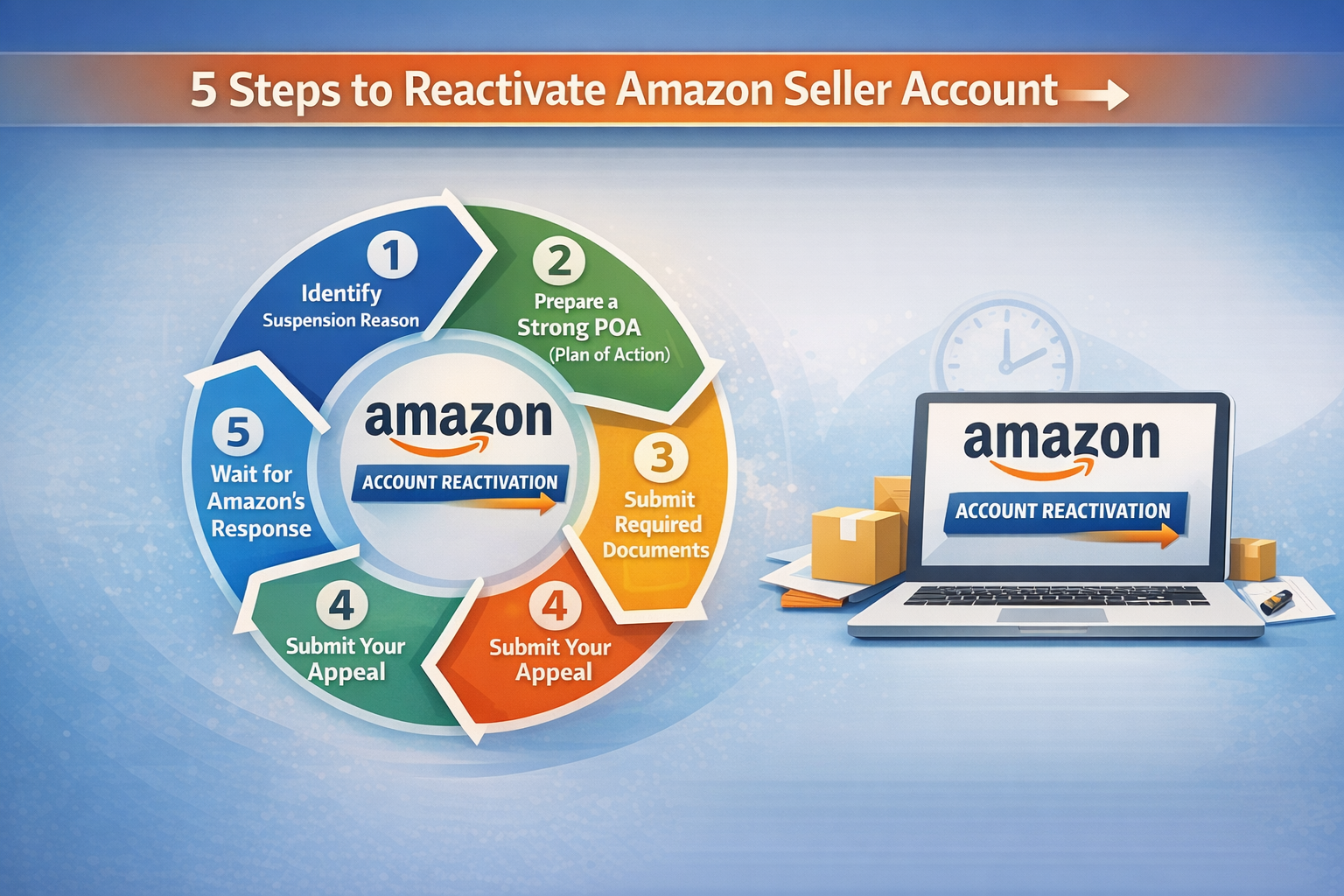
Step-by-Step Guide for Amazon Account Reinstatement
If your account is suspended, you must follow the correct Amazon appeal process to recover it.
Step 1: Identify the Suspension Reason
First of all, understand why your account was suspended.
You can check this by logging into Amazon Seller Central and opening the Performance Notifications section.
Amazon usually mentions the reason for suspension in the notification.
Step 2: Prepare a Strong Plan of Action (POA)
A strong POA is the most important part of the account reactivation process.
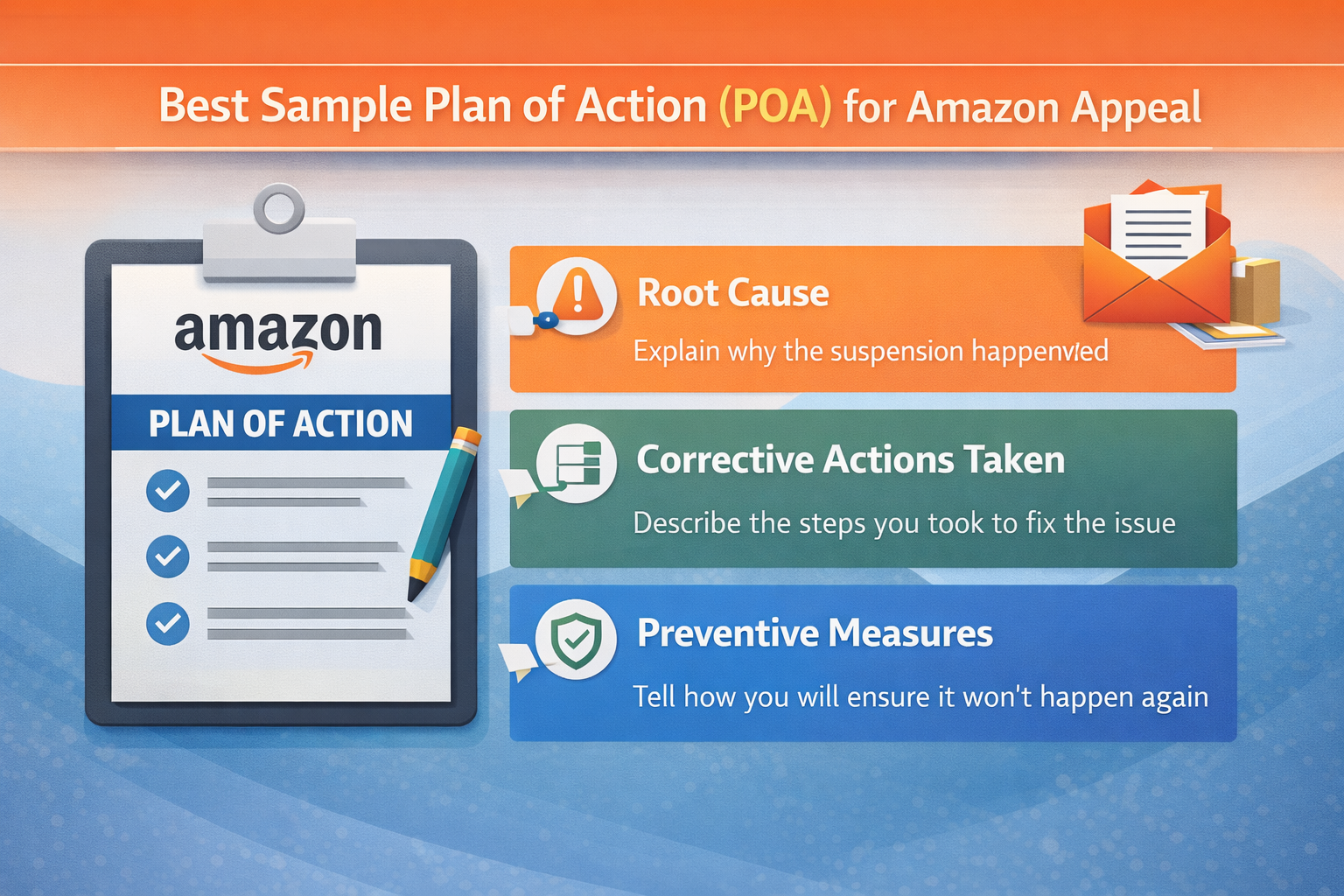
Your Plan of Action should include three things:
Root Cause
Explain why the issue happened.
Example:
“The high order defect rate occurred due to shipment delays caused by supplier inventory shortages.”
Corrective Actions
Explain the steps you have taken to fix the problem.
Example:
“We changed our supplier and improved inventory tracking.”
Preventive Measures
Explain how you will prevent this issue in the future.
Example:
“We implemented inventory management software and order tracking systems.”
Best Sample Plan of Action (POA) for Amazon Appeal
Below is a professional POA template for Amazon suspension recovery.
Root Cause
Our account was suspended due to a high Order Defect Rate caused by delays in product shipments from our previous supplier. These delays affected order fulfillment and resulted in negative customer feedback.
Corrective Actions Taken
- Replaced the unreliable supplier with a verified vendor
- Improved inventory management system
- Implemented real-time shipment tracking
- Improved product quality inspection
Preventive Measures
- Weekly monitoring of seller performance metrics
- Dedicated customer support team for issue resolution
- Inventory alerts to prevent stock shortages
- Regular compliance checks to follow Amazon policies
Submit the Amazon Appeal Process
After preparing the POA, submit your appeal.
Steps:
- Log in to Amazon Seller Central
- Go to Performance Notifications
Open the suspension message - Click on “Appeal.”
- Submit your POA and required documents
This completes the Amazon appeal process.
Wait for Amazon Response
Amazon usually reviews appeals within 24 to 48 hours, but sometimes it may take up to 7 days.
During this time:
- Check email regularly
- Respond quickly if Amazon asks for additional documents
- Do not submit multiple appeals at once.
Documents Required for Amazon Account Reinstatement
Amazon may request the following documents:
- Supplier invoices
- Business registration document
- GST certificate
- PAN card
- Aadhaar or passport
- Bank verification details
Providing correct documents helps speed up Amazon suspension recovery.
Professional Amazon Reinstatement Services
If you cannot handle the process yourself, you can use professional reinstatement services.
These experts help with:
- Analyzing suspension reasons
- Writing professional appeal letters
- Handling the Amazon appeal process
Tips to Avoid Future Amazon Account Suspension
To maintain a healthy seller account:
- Monitor performance metrics regularly
- Provide accurate product listings
- Maintain good customer service
- Avoid counterfeit products
- Follow Amazon policies strictly
These steps will reduce the chances of future suspensions.
Conclusion
Amazon seller account suspension can be a challenging situation, but it does not mean your business is over. With the correct approach, proper documentation, and a professional Plan of Action, it is possible to complete the Amazon account reinstatement process.
Understanding the reason for suspension and following the proper Amazon appeal process is the most important step. Sellers who take corrective actions and implement preventive measures have a higher chance of success in Amazon suspension recovery.
If your account has been suspended, stay calm, follow the step-by-step process explained in this guide, and work towards restoring your business.
With patience and the right strategy, you can restore your Amazon seller account and continue growing your business on Amazon.
Amazon Seller Registration: How to Register as a Seller on Amazon?